Remove one object from a room photo.
Name a single piece and it goes, along with its shadow and its reflection. The harder half of the job is what the floor and the wall behind it have to become.
One named item, and nothing else moves
Furniture Removal takes one photo of the room as it is now and one instruction: what to take out. Pick the sofa, the bed, the table with its chairs, the rug, the freestanding wardrobe or the artwork on the walls, or type the piece in your own words. That item leaves. Everything else is left alone. A lamp keeps its footprint on the floor and its height up the wall, a cushion keeps its weave and its colour, and the light on all of it is the light the room already had.
The camera holds too. Framing, field of view, ceiling height, window and door positions, trim: all of it stays put, which is the difference between a removal and a fresh render. You are not asking for a new picture of a similar room. You are asking for this photograph with one object subtracted from it.
 As shot
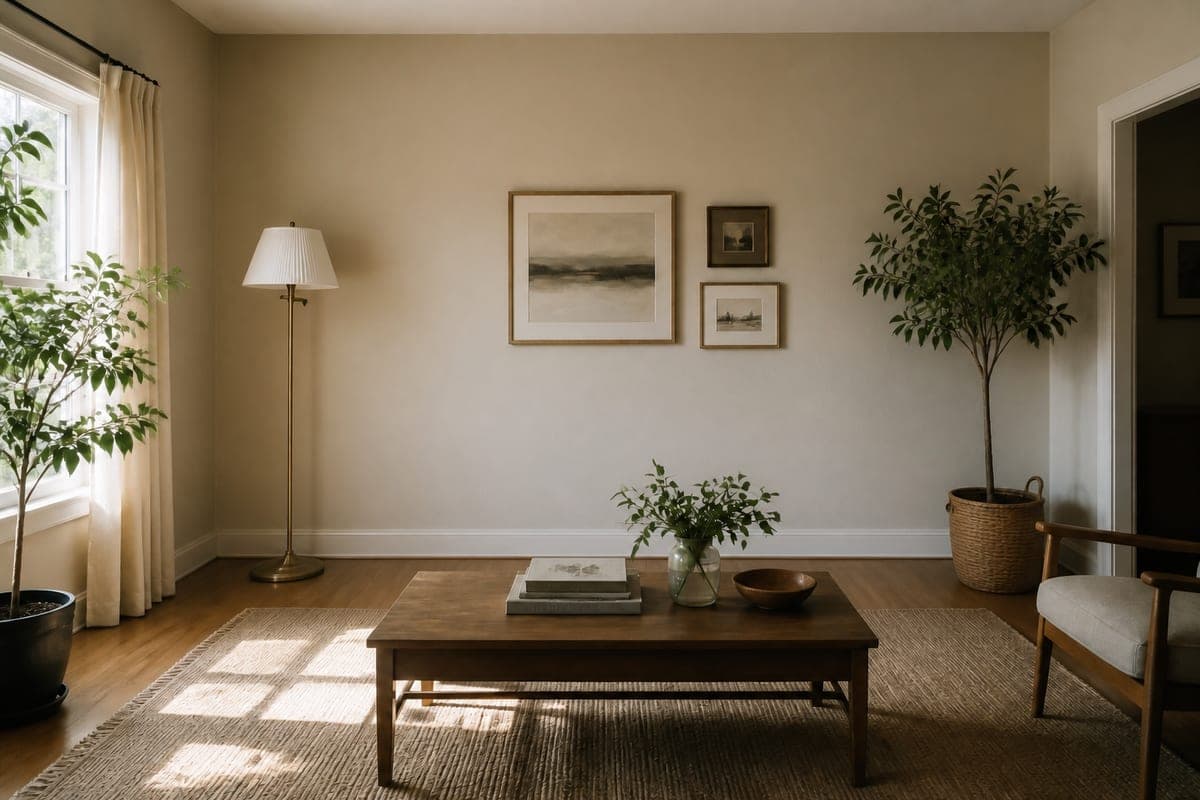 Sofa removed
What the floor and the wall have to become
Nothing behind the sofa was ever recorded. The camera saw upholstery, so the area it occupied has to be reconstructed rather than recovered, and that reconstruction is where a removal succeeds or gives itself away. Plain, continuous surface is the goal. Floorboards keep their plank direction across the cleared span, tile keeps its grid and its grout lines, wall colour and texture carry on, and the junction where the wall meets the floor stays straight with the skirting unbroken.
There is a second rule doing quiet work here: nothing new may appear in the revealed area. No door, no niche, no vent, no radiator, no fixture. An invented radiator on a bare wall looks entirely plausible and is a claim about the room that the room does not support, so the cleared span comes back as blank surface and stays blank.
Difficulty scales with what the object was hiding. A rug on an even floor is the easy case, because the reconstruction has visible boards on all four sides to continue. A tall wardrobe in a corner is the hard one, since two wall planes, a ceiling line and a floor junction all meet behind it and each has to arrive in the right place. Give a corner piece a longer look than you would give a rug.
Distance from the camera matters for the same reason. A wardrobe at the back of a shot occupies a modest patch of the image. A sofa arm cutting across the foreground can own much of the frame, and every one of those pixels has to be convincing at close range. When a piece dominates the picture, consider whether the room wants that item gone or simply wants a second photograph taken from further back.
Reflections and shadows are the tell
An object leaves three traces, and most rushed edits catch only the first. There is the object itself. There is the shadow it casts across the floor and up the wall, plus the darker contact shadow directly under its feet. And there is every surface that was reflecting it: a mirror on the wall opposite, the glass of a picture frame, a polished floor, a glossy cabinet door.
A sofa that vanishes while its shadow stays behind gives the edit away at a glance, and a viewer spots it without knowing why the picture feels wrong. Reflections are the subtler version of the same mistake. A polished timber floor holds a soft, stretched copy of whatever stands on it, and that copy survives the deletion of the object unless something goes looking for it. So does the sliver of a room caught in a wall mirror, which is easy to miss because it sits at the edge of the frame and takes up almost none of it. The removal takes all three traces together. The light itself is what it refuses to touch. Sun still enters from the window it entered from, the picture is neither brighter nor darker than the file you uploaded, and every shadow not cast by the missing piece stays where it fell, so the bar of window light crossing the rug lands the way it did when the shutter opened. If you want a different hour, that is a separate pass with a change of time of day, applied after the object is gone.
Removing one thing, or clearing the room
These are different jobs with different tools. Room Declutter empties the space in one click. Anything a removal van could carry leaves: the seating, the rugs and curtains, the plants, the pictures off the walls, the belongings on every surface. What is screwed, plumbed or built into the room stays, because it counts as architecture rather than clutter. Fitted cupboards stay fitted, the fireplace keeps its opening, and the radiators are still on the wall when the furniture is gone. That is the right move when you want a clean shell to work from, and the wider job of removing furniture from a photo is covered on its own page.
Targeted removal is for the cases where the room is mostly fine. An oversized sectional that swallows the floor area. A bed that hides how much space the bedroom really has. A rug the seller is taking with them. Family photographs on the wall that carry someone's face into a public listing. In each of those, the rest of the room is working: a lamp and a coffee table tell a viewer how big everything is, and emptying the room throws those cues away along with the clutter. Scale is the first thing an interior loses when it goes bare, which is a large part of why renders get scale wrong.
When the plan is to refurnish afterwards, clearing first is usually better, because new pieces then land in open floor rather than beside the old ones. That sequence is the everyday routine in staging work for home stagers and it scales up when you are running a whole shoot at once.
Naming the target so the right thing goes
The instruction is short, so make it unambiguous. One sofa in the frame needs no more than the word sofa. Two seats in the frame need a distinguishing feature: the white fabric sofa, the leather armchair by the window, the dining chairs rather than the desk chair. Colour, material and position are the three qualifiers that do the most work, and one of them is usually enough.
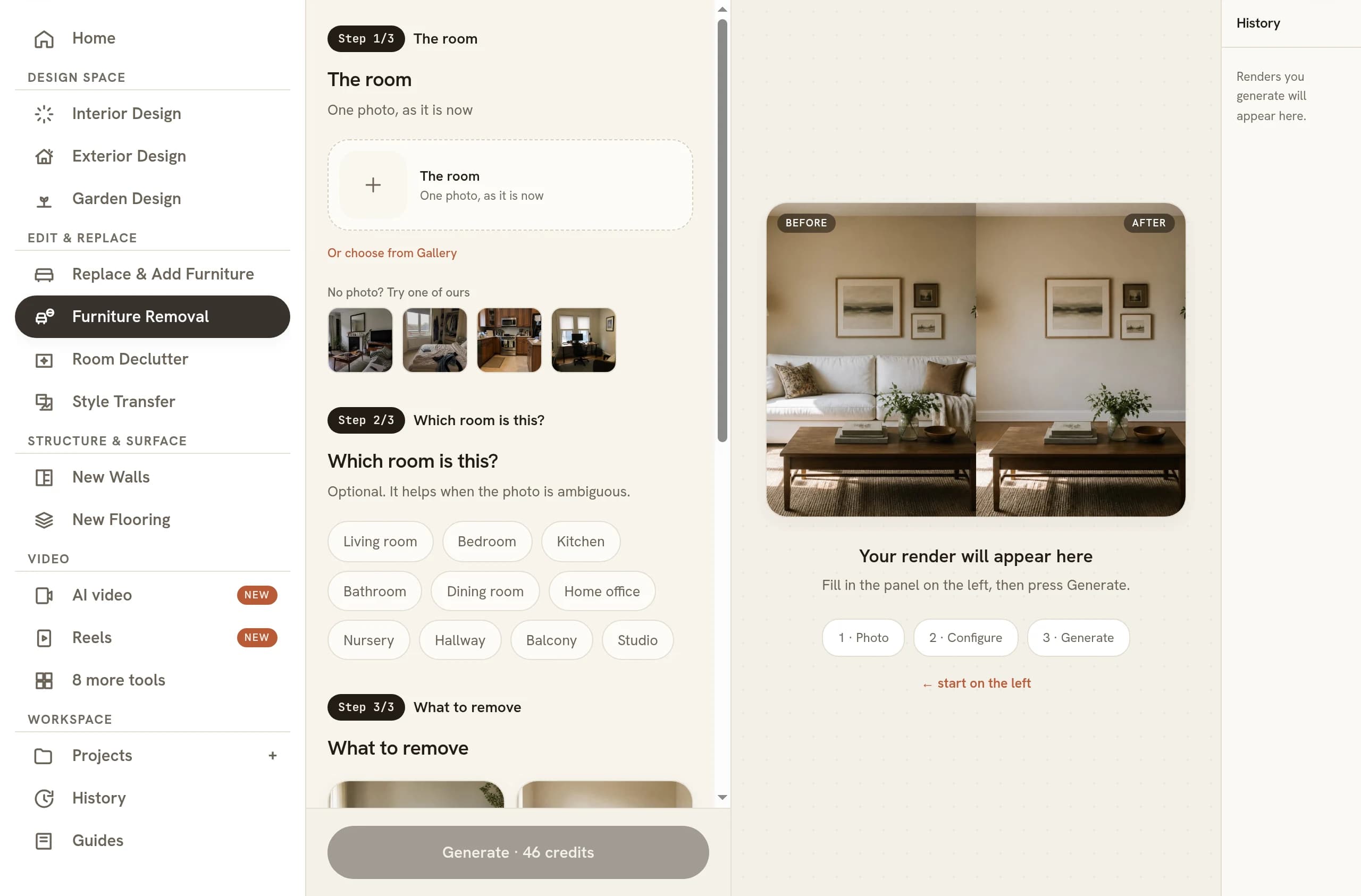
The default instruction goes after whatever dominates the frame, usually the room, which is a reasonable opening move on a photo with one obvious candidate and a poor one on a busy room. Name pieces as a group when they physically overlap. That is why the table preset carries the chairs around it: chairs tucked half under a table share both a shadow and a stretch of floor, and taking one without the other leaves an odd gap. Work in passes for anything else. Remove, look, then remove again from the result.
What to check before the photo goes out
Open the original beside the result at full size and read four things. First, the cleared span: skirting straight, wall colour even, no invented fixture standing in the gap. Second, the floor: plank direction and grout lines continuing through the area rather than changing angle where the object used to sit. Third, the traces: no orphan shadow on the floor, and nothing left of the piece in a mirror, a glass frame or a polished surface. Fourth, the rest of the room, which should be pixel for pixel what you uploaded.
That last check is the quickest and the most revealing. If a lamp has shifted or a cushion has changed colour, the pass did more than you asked and the result is a different room rather than your room with one thing gone. Related: AI furniture placement for putting something better in the space you just cleared.
Common questions
Do I need to mask the object I want to remove?
No. There is no mask to paint and no region to drag around the object. You upload one photo and say what to take out, either by choosing from the six built-in targets or by typing the item in your own words, and the tool finds it in the frame. Free text exists for anything the presets do not name.
Can I remove more than one item in a single pass?
Yes, if the pieces read as one visual group. Two presets are written that way, so a set arrives together rather than half-cleared. Anything unrelated is better done in passes: run the tool again on the image the first pass returned. Passes also keep each rebuild small, which is where removal quality holds up best.
What kind of room photo gives the cleanest removal?
A straight, evenly lit shot with the whole item inside the frame. Removal is hardest when the object runs off the edge of the picture or sits half behind something else, because the surface being rebuilt then has no visible continuation to copy. Daylight helps more than a flash, which flattens the texture cues.
Is it honest to remove furniture from a listing photo?
Draw the line at anything fixed. Loose belongings leave with the seller, so taking a sofa out does not change what a buyer is buying, and the room keeps its true shape and finish. A radiator, a column, a boiler or a boxed-in pipe is different: it stays with the property, so it stays in the photo.
What is the difference between furniture removal and virtual staging?
Removal subtracts: it deletes a named piece and rebuilds the floor and wall it was hiding, leaving the rest of the photograph untouched. Staging adds pieces that were never in the room. Removal is judged on whether the reconstruction is invisible, staging on whether the furniture looks like it belongs, so they fail in different ways.
Try it on your own plan
Upload a floor plan or a room photo and see the first renders in about thirty seconds.
100 free credits · no credit card required
Get the next guide when it lands
We publish these as we work through what people actually ask about pricing, staging and turnaround. Leave an address to hear when a new one goes up.
Solo usamos tu dirección para escribirte sobre RoomGen. Política de privacidad · Términos