Replace the sofa, keep the room.
A swap is the smallest edit a room photo can take: one object changes and every other pixel is expected to survive. Naming that object precisely is most of the work, and checking the parts you never named is the rest.
One change, named precisely
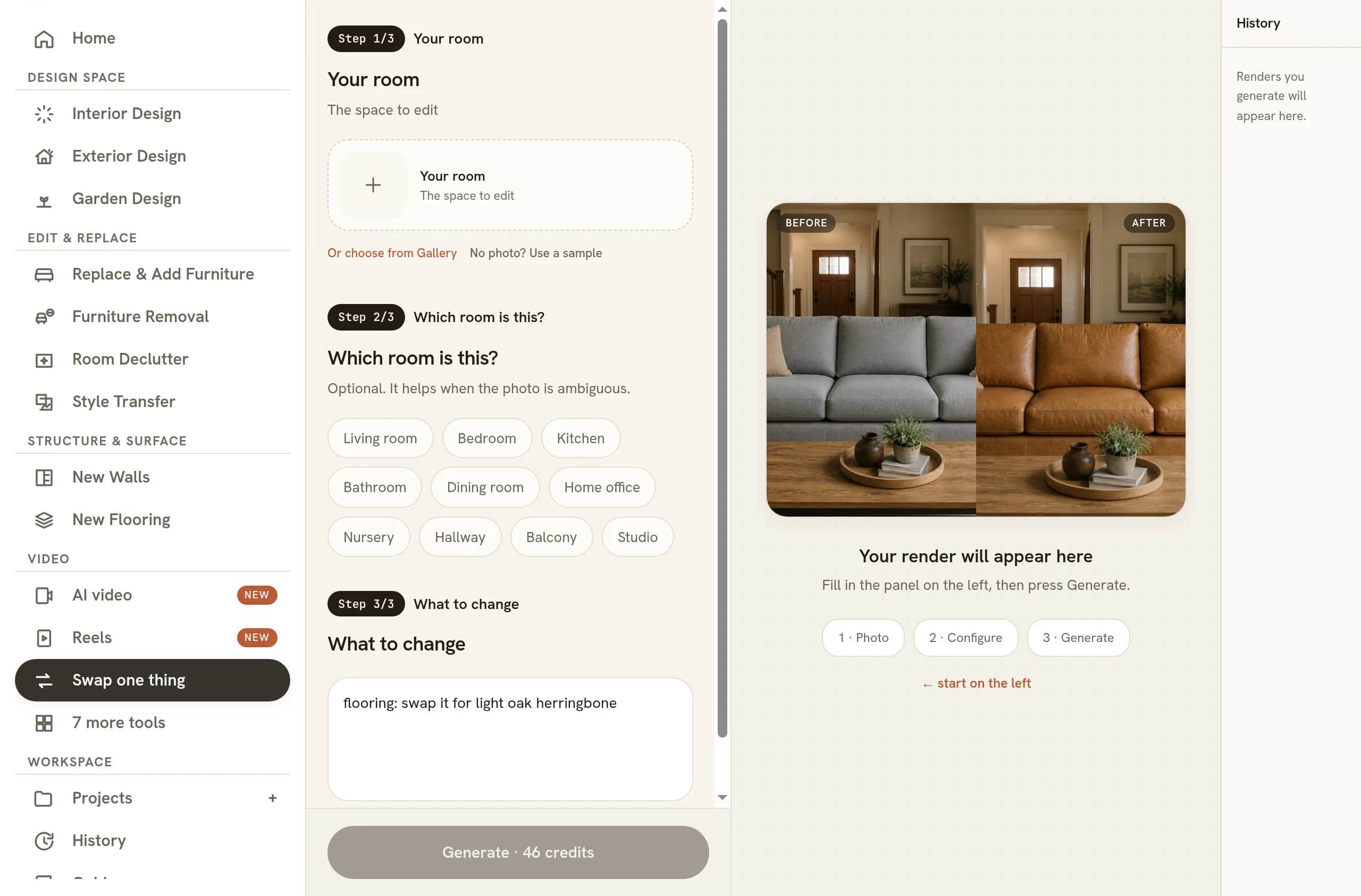
The tool is called Swap one thing, and the single field it hands you is called What to change. It takes one photo of the room and one line of text. The field opens with a floor change already written into it, and the grey hint underneath repeats the shape for seating as sofa → green velvet. One target, one replacement. Press Swap it and the room comes back with that one difference in it.
The narrowness is the whole point. Staging refurnishes a room and removal empties part of one, but a swap has to hand back the same photograph with a single object exchanged. The instruction behind the button says as much: change only the named thing, and keep the camera angle, the lighting, the shadows, the reflections, the walls, the flooring, the other furniture, the decor and the architecture completely unchanged.
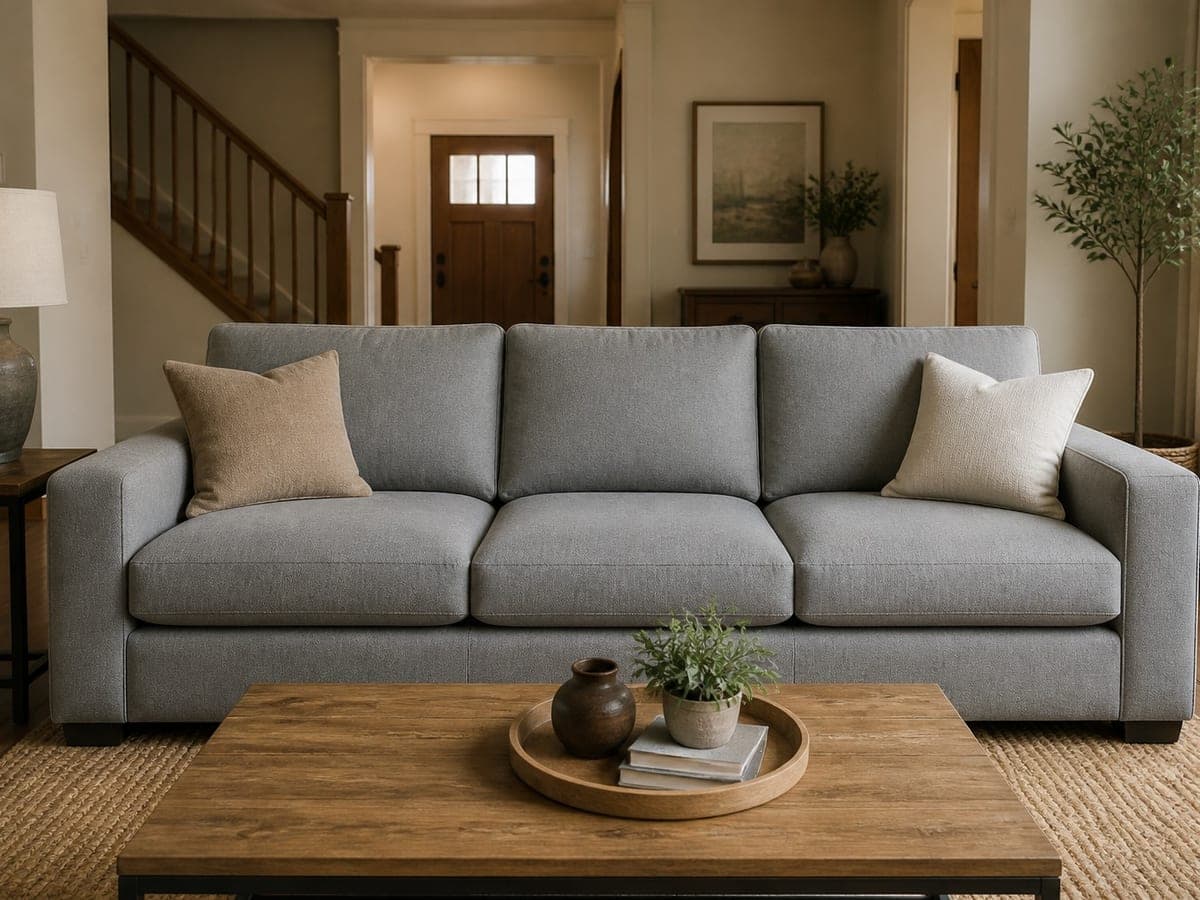 As shot
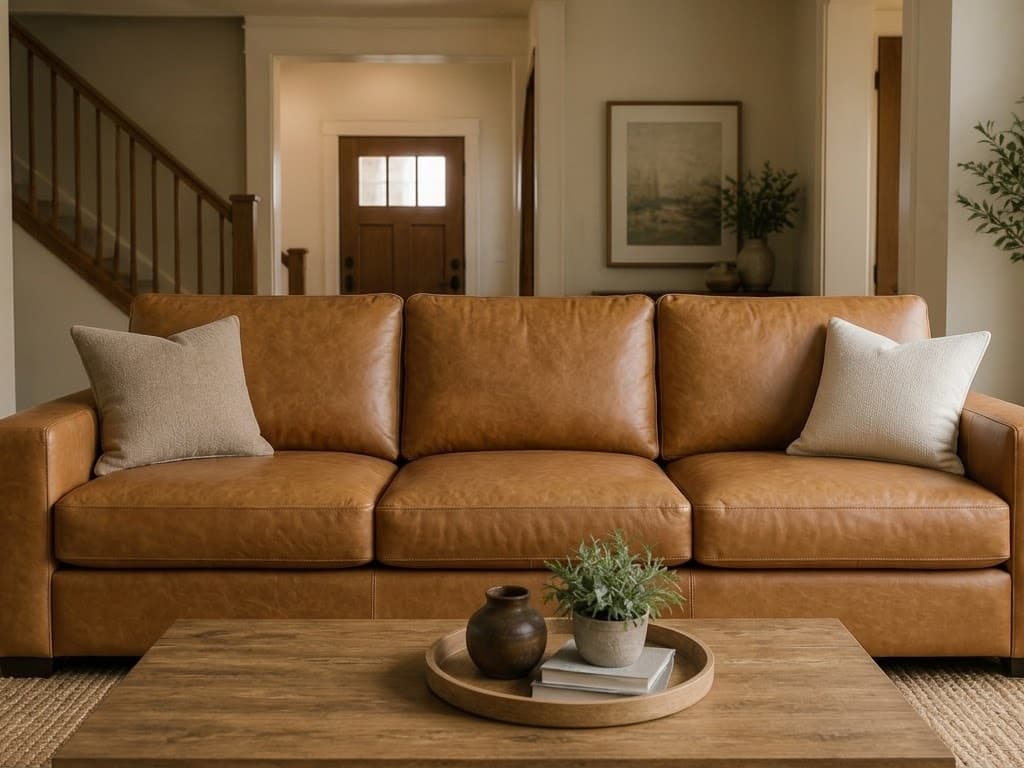 Sofa swapped
Look at what stayed. The tray on the coffee table holds the same pot, the same little plant and the same stack of books, the jute rug keeps its weave, and the staircase and the framed print behind the sofa are where they were. The seat went from grey fabric to tan leather and picked up the warm, low light already in the room.
Why everything else has to hold
An object in a photograph is never just its own outline. It casts a tight contact shadow where it meets the floor, throws a softer one onto the wall behind it, hides a stretch of skirting board, and turns up as a smear in anything polished nearby. Replace the object and every one of those traces has to be rebuilt around the new shape, in the same light direction and at the same softness.
Get that wrong and the picture reads as a paste-up long before anyone can say why. A sofa with no contact shadow floats. A leather cushion lit from the right in a room lit from the left is a jarring detail even to someone who has never once thought about light. The test of a swap is not whether the new piece looks good on its own. It is whether the picture still looks like one photograph.
There is a second reason to insist on it. When the room is redrawn around the change, the photo quietly stops matching the property: skirting shifts, a doorway narrows, a rug grows a foot in every direction. Nobody set out to misrepresent anything, and yet the image now describes a room that does not exist. Holding everything else fixed is what keeps the picture answerable to the space it came from.
Writing the target so it survives the pass
Two halves make a usable line: the thing you mean, and the thing you want instead. Sofa → green velvet works because neither half is ambiguous. The furniture is a sofa, and the finish is a colour with a material attached to it. Go vague on either side and the model has to guess, and a guess is exactly what spreads past the object you meant.
Point at one object, and point the way somebody standing in the room would. If the picture holds two armchairs, say which one: the armchair by the window, never just the armchair. If two things could answer to sofa, name the one in the middle of the frame. A target that resolves to exactly one object in the photograph is a target that stays put.
On the replacement side, describe what a photograph would show. Material, colour, silhouette, leg style and rough proportion all do more work than a brand name, because the piece is being drawn from your description rather than looked up in a catalogue. A low tan leather three-seater with square arms and dark wooden feet is a sentence the edit can act on, and it keeps the scale honest, which is where renders most often go wrong.
Avoid words that describe the room instead of the object. Modernise the living room is not a target, it is a brief, and it licenses every surface in the frame to change. Even something as mild as make it cosier will reach for the cushions, the lamp and the wall colour on its way past. Keep the sentence about one noun and the finish you want on it.
Reading the result for a silent redraw
Open the original and the new version at full size and flick between them. The change you asked for is the easy part to see. What you are hunting is everything you did not ask for, and it hides at the edges of the frame rather than in the middle.
- The footprint. The new piece stands where the old one stood, the same distance off the wall, covering the same patch of floor.
- The contact shadow. A dark, tight line where furniture meets the floor, falling the same way as every other shadow in the room.
- The background. Doorways, skirting, stairs and art should be identical, including the parts the old piece was covering.
- Reflections. Check polished floors, glass, mirrors and screens. A swap that missed them leaves the old piece visible in them.
- The neighbours. The rug, the coffee table and the cushions sit closest to the change and are the first things to be restyled along with it.
Swapping, removing and staging are three different jobs
They blur together in conversation and not at all in practice. Removal takes something out and closes the gap behind it, erasing the item with its shadow and its reflection, then continuing the floor and the wall across the span it occupied. Nothing arrives in its place. That is the tool for a seller’s oversized corner unit, covered in removing furniture from a photo.
Staging runs the other way. It furnishes an empty or half-empty room with a whole scheme, choosing the pieces, placing them and lighting them together, and what comes back is a proposal about the space rather than a correction to it. That is a different daily practice with different economics, which is why it gets its own workflow for stagers working at volume.
A swap sits between them and is stricter than either. One object out, one object in, everything else answerable to the original photograph. It is the right tool for a room that is already staged well apart from one dated or wrong-coloured piece, and the wrong tool for a room that needs rethinking. When most of the furniture is wrong, you are staging, not swapping.
Where a single swap earns its keep
Three situations suit it particularly well. A listing photo where the room reads well except for one tired piece. A client who likes the scheme and wants to see the same room in a different fabric before committing to it. A set of shots that has to stay consistent, where one item changed on site and the rest of the photography is still good.
In all three the value is the same: you keep the photograph you already have. The angle, the light and the day it was taken all survive, so the new image drops into the set beside the old ones without anyone noticing a seam. Reshoot the room and you lose every one of those. It is also the shortest answer available to a client who asks what the green one would look like.
The same discipline covers surfaces, since the field takes a floor or a countertop as readily as a sofa. Name the surface, describe the material, then check the skirting and the thresholds rather than the middle of the floor, because the middle of the floor is the part that always looks right. For the other edit that leaves a room untouched, see changing the time of day in a render, and for the harder problem of putting furniture where none exists yet, how furniture gets placed.
Common questions
Do I need the original 3D file to replace furniture in a render?
No. The picture is the whole input, so a phone snap, an agent's listing shot and a finished render from any software are all handled the same way. You upload one image of the room, describe the swap, and download the new version. Nothing about the original scene file is needed or asked for.
Can I swap two pieces of furniture at once?
Run them one at a time instead. Feed the first result back in as the input for the second and you get a checkpoint between the two changes, plus an image to fall back on. One line naming two unrelated objects hands the edit two targets at once, which is how a swap spreads further than you intended.
How many versions should I generate before choosing one?
Two or three per target is usually enough. Generate the same swap with different finishes from the same original image, then compare them side by side rather than one after another, because a fabric that looks right on its own can look wrong next to the rug. Keep the original so every version starts from the same place.
Is it honest to replace furniture in a real estate listing photo?
Treat it like any other staged image and label it. Exchanging a movable item is a presentation choice about furnishing, which buyers understand, provided nothing structural moves with it. Confirm that walls, windows, floor and room proportions came back untouched, then follow whatever disclosure rule your portal or board sets.
What kind of photo works best for a furniture swap?
The largest original you have, taken square to the piece you want changed, with the whole object inside the frame. Screenshots, heavy crops and photos where the sofa runs off the edge give the edit less to hold on to. Even lighting helps, since every new shadow has to agree with the ones already there.
Try it on your own plan
Upload a floor plan or a room photo and see the first renders in about thirty seconds.
100 free credits · no credit card required
Get the next guide when it lands
We publish these as we work through what people actually ask about pricing, staging and turnaround. Leave an address to hear when a new one goes up.
Solo usamos tu dirección para escribirte sobre RoomGen. Política de privacidad · Términos