Redesign a room from one photo.
Name an aesthetic and the whole look changes: furniture, textiles, wall treatment, lighting, decor. The camera, the proportions, the windows and the doors stay exactly where you photographed them.
What a restyle actually changes
The tool is Interior Design, and it asks for two things: one photo of your room, and the name of a look. Everything that can be furnished or finished is then redesigned to match that look. The room itself is not. The camera angle and perspective hold, the proportions hold, and the windows and doors stay where you photographed them.
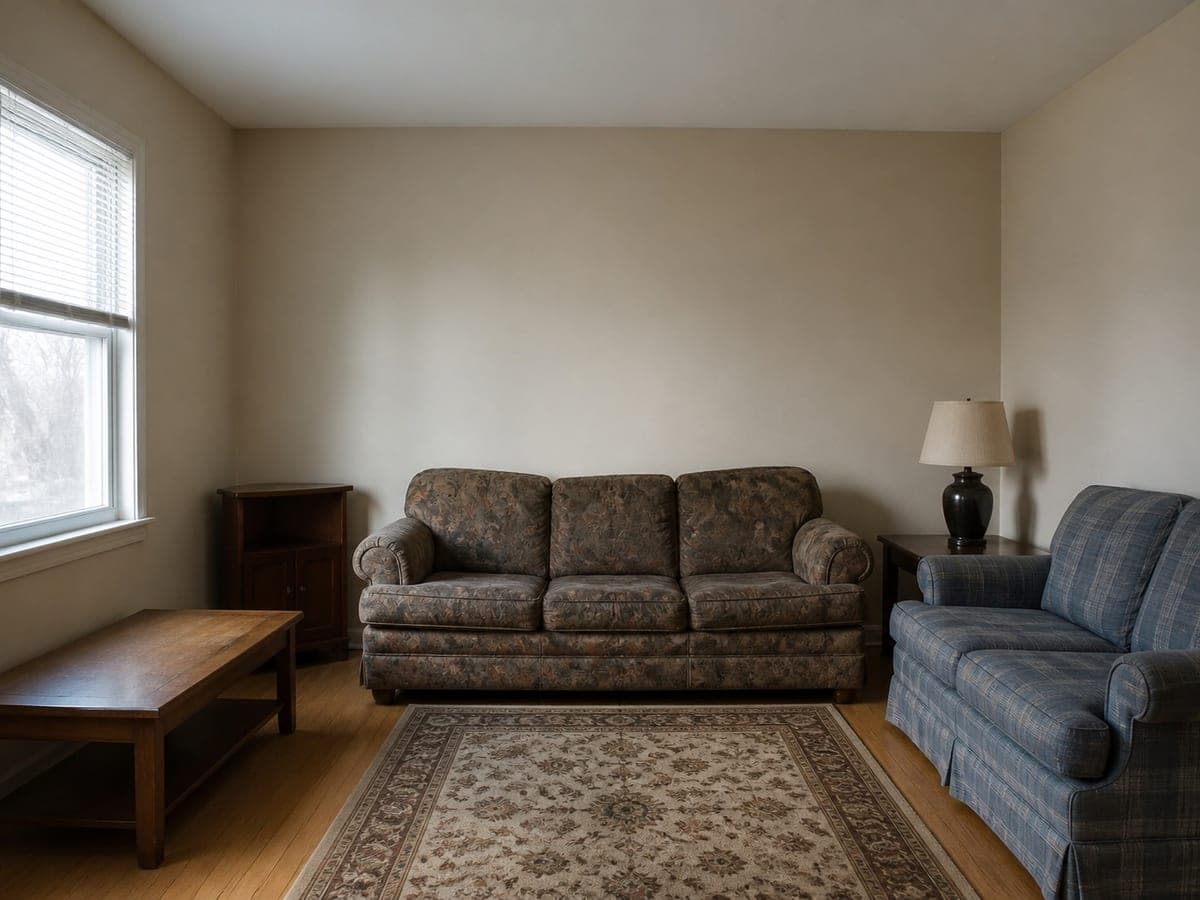 As shot
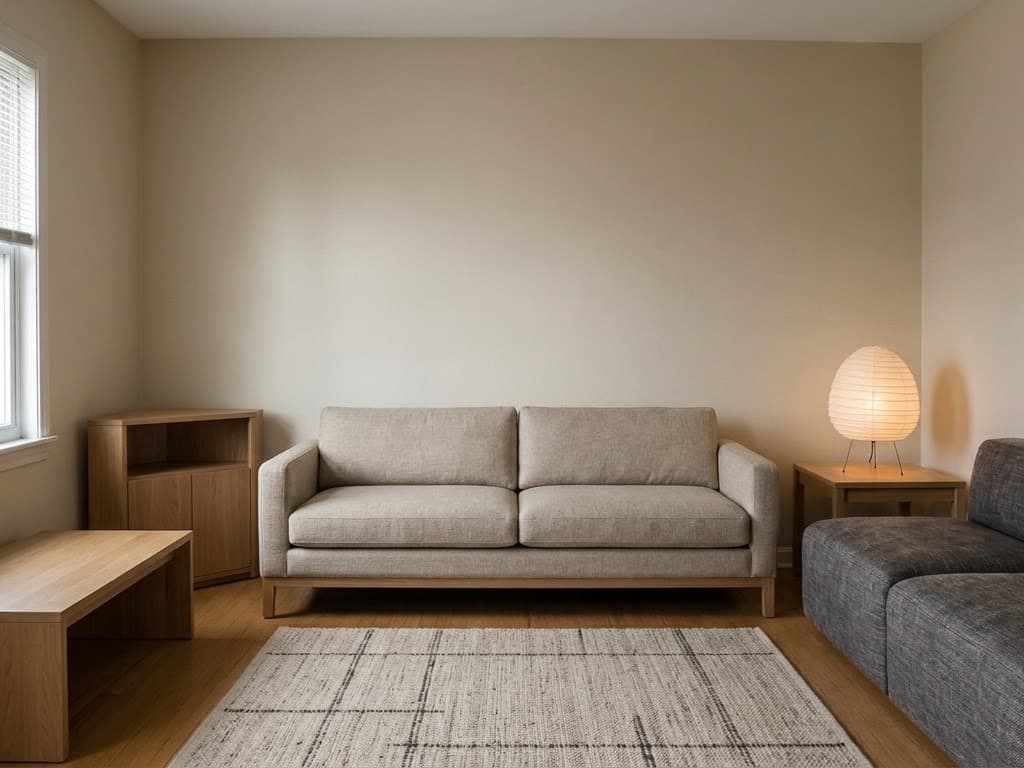 Japandi
That split is the whole value. A moodboard tells you what Japandi looks like in someone else's flat. A restyle tells you what it looks like in yours, from the seat you were sitting in when you took the picture. Nothing structural is on the table, so the result stays answerable against the original rather than becoming a render of a different, nicer room.
Every field carries a default, so the shortest possible run is upload, press the button, look. The three decisions worth making by hand are the style words themselves, the design mode, and whether to name a colour palette at all.
The style vocabulary and what each word buys you
An aesthetic name is a compressed material list, which is why naming one works so well as an instruction. Japandi carries pale ash and hinoki wood, raw stone, hand-thrown ceramic, muted sage textiles, off-white lime plaster, low furniture and generous negative space. Coastal Hamptons carries crisp white shiplap, weathered teak, sky-blue accents, rope and sisal, sailcloth linen and cool morning daylight. Two words, a dozen decisions.
Eight presets ship with the app, deliberately spread across material vocabulary and lighting character rather than eight shades of beige: Scandinavian Minimal, Japandi, Mid-Century Modern, Industrial Loft, Modern Luxe, Bohemian Earth, Coastal Hamptons and Wabi-Sabi. They appear as photo swatches in the style picker and as cards in the Designer library, and picking one fills the aesthetic field with a full paragraph of material direction, far more specific than most people type unprompted. Industrial Loft arrives as exposed brick, polished concrete, blackened steel and tan saddle leather. Wabi-Sabi arrives as hand-trowelled plaster, knotty oak and undyed linen.
The field is free text, so anything you can name is fair game: Dark Academia, Cottagecore, Cyberpunk, brutalist, 1970s Italian. The narrower the label, the more it pays to unpack it yourself. Write it the way the default does, as a name followed by its materials, so Dark Academia becomes stained oak panelling, deep green walls, brass picture lights and worn leather. Spelling out the materials is what stops a style word being read as a vague mood.
Choosing between Room Restyle and Furnish Empty Room
Design mode is the one setting that changes what the tool may do with your layout, and it deserves a moment before you run anything. Room Restyle is the default. Your furniture keeps its place and the viewpoint keeps its place with it; what moves is what things are made of and how they are dressed. The sofa gets replaced. The sofa's place in the room does not.
Furnish Empty Room does the opposite. It reads the space as though nothing were standing in it and works out a fresh arrangement: which pieces the room wants, and how they sit against the walls. The shell is still untouchable, with the viewpoint, the proportions and every opening held as you photographed them. Only the plan opens up.
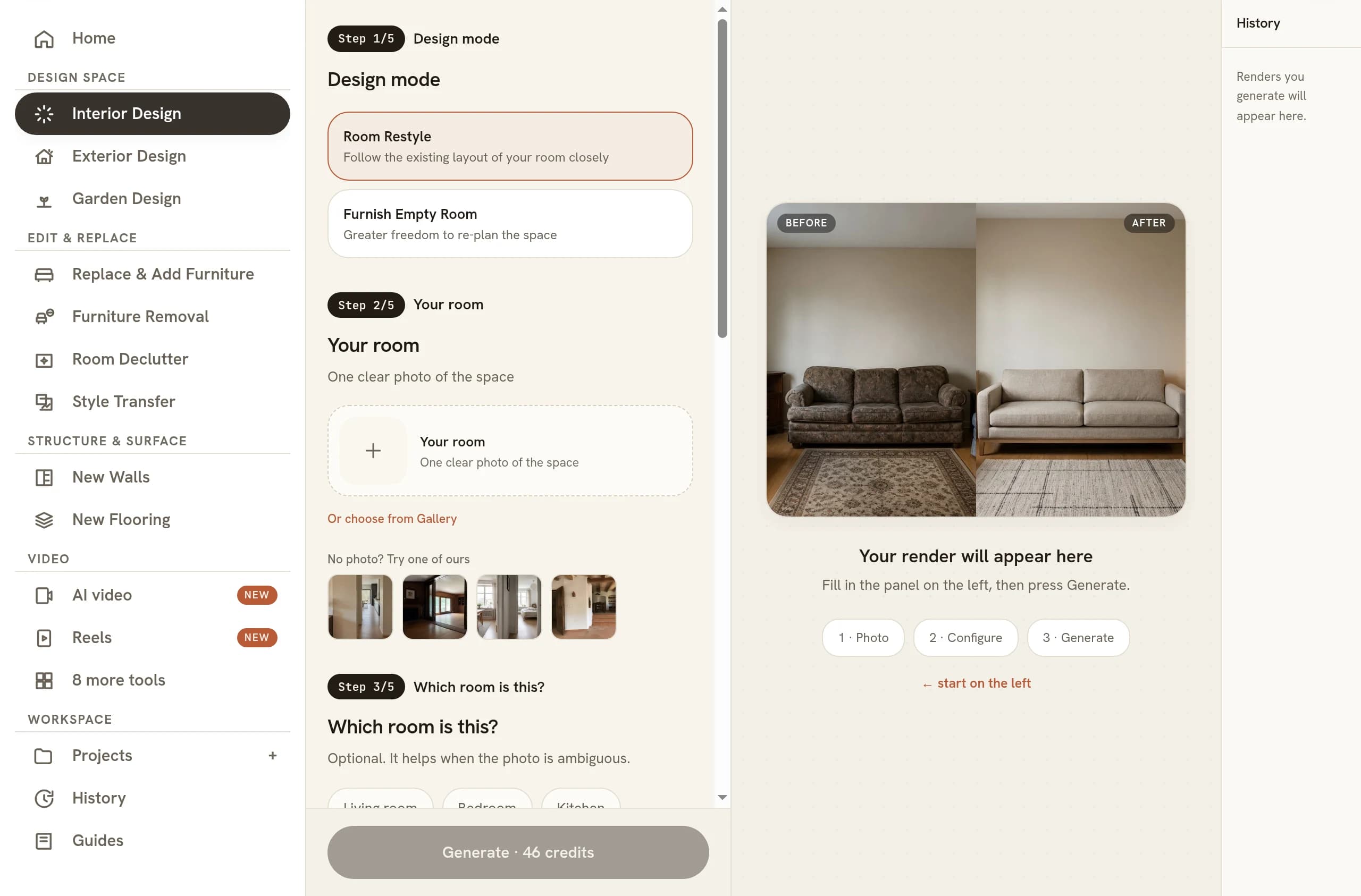
Choose by asking what is actually wrong with the room. If the arrangement works and the look is dated, restyle, because you keep the composition you already like and swap everything sitting on it. If the room is empty, or if the layout is the problem you are trying to solve, furnish. Running Furnish Empty Room on a furnished photo is a legitimate move, but expect the arrangement you photographed to be replaced rather than tidied, and expect to check the new furniture placement against how you really use the space.
Picking a palette separately from the aesthetic
Colour is a second field, and it is optional on purpose. Leave it alone and it defers to the style, letting the look you named bring along the colours it would have carried anyway. A named aesthetic has already settled most of the palette, and stacking a separate colour instruction on top of it is the usual way two sensible decisions add up to one confused room.
Set it when you have a reason. Four presets sit under the field, labelled High-contrast neutrals, Warm earth tones, Laid-back blues and Forest-inspired, each shown as a row of swatches so you can judge it by eye instead of by adjective. The usual reason to reach for one is a colour you are stuck with: a floor you are keeping, a kitchen you are not replacing, a rug that is staying whatever else happens.
It is also the cleanest way to run a comparison. Keep the aesthetic wording byte for byte identical, change only the palette, and the two results differ in the single variable you were asking about. Change both at once and you learn nothing reliable about either.
The contract the redesign will not break
Four things hold on every run: the camera angle and perspective, the room proportions, the window positions and the door positions. Structural edits are refused outright, so no wall, window or door is added, removed or relocated. That constraint is what makes the image worth showing to anyone who has stood in the room.
It also hands you a checklist. Open the original alongside the result and read the architecture first: window in the same place at the same size, door the same, ceiling line at the same height, the same view through the glass. Then read scale, because scale is where a convincing image quietly goes wrong. Measure the new sofa against the door frame and the window sill, which are the two objects in the frame whose real size you already know, and see why AI renders get scale wrong if something feels off without looking obviously broken.
The fixed viewpoint pays off again the moment you run more than one look. Six aesthetics from a single photo come back as six versions of one composition, so what separates them is style rather than framing. Put them side by side and the choice tends to make itself, which is much harder when every option is shot from a different corner of the room.
Where a restyle sits next to the other tools
A full redesign is the blunt instrument, and most of the time that is exactly right: you want the room to feel different, not to audit one chair. When the brief is narrower, reach for a narrower tool. Replace & Add Furniture changes only what you name and leaves everything else as photographed, and taking a piece out of a photo is its own job with its own guide.
Once a restyle lands, it becomes the input to everything downstream. The same room can be relit for another hour of the day, or set moving as a short clip if you turn the render into a video. All of it runs from the photo in your pocket, so you can design a room from your phone while you are standing in it, which is the right time to be deciding what the room should look like.
Common questions
Can AI redesign my room from just one photo?
Yes. One photo of the room is the whole brief. Shoot it from a corner so two walls and the floor are visible, hold the camera level, and let in as much daylight as you can. A phone picture is fine. What matters is that the room is legible, not that the photograph is beautiful.
Should I tidy the room before I upload it?
Tidy it if the mess is hiding the room. Laundry and worktop pile-up compete for attention with the furniture, and anything unreadable in the photo is guesswork in the result. Room Declutter clears general mess in one pass with nothing to fill in, so run that first and feed its output to the redesign.
Can I actually buy the furniture in the redesign?
Not directly. Treat the result as a direction rather than a shopping list. The pieces are generated to suit the room, so they are not catalogue items with SKUs behind them. What the image gives you is a specification you can shop against: the material, the colour, the leg shape, the proportion relative to your own walls.
Does this work for a rental where I cannot renovate?
It works, with one adjustment. A redesign changes wall treatment, flooring and lighting alongside the furniture, so a rental result may include things your tenancy will not let you touch. Name the constraint in the aesthetic field, saying the floor and walls stay as they are, and read the render for the furniture and textiles.
Is an AI redesign good enough to give a builder or a decorator?
As a reference image, yes. It communicates intent faster than a paragraph of description and settles arguments about what a style word means. It is not a drawing set: there are no dimensions, no specifications and no product codes in it. Hand it over as the look you are chasing, then let the trade price the real thing.
Try it on your own plan
Upload a floor plan or a room photo and see the first renders in about thirty seconds.
100 free credits · no credit card required
Get the next guide when it lands
We publish these as we work through what people actually ask about pricing, staging and turnaround. Leave an address to hear when a new one goes up.
Solo usamos tu dirección para escribirte sobre RoomGen. Política de privacidad · Términos