Virtual staging video.
Virtual staging fills an empty room with furniture. Virtual staging video takes that staged room and puts the camera in motion, so the listing arrives as a clip in place of a photograph. Both come from one upload.
What it is
A virtual staging video starts where a staged photo starts: an empty room, and a furnished version of it. The extra step is motion. The staged frame becomes the opening frame of a short clip, and the camera moves through it.
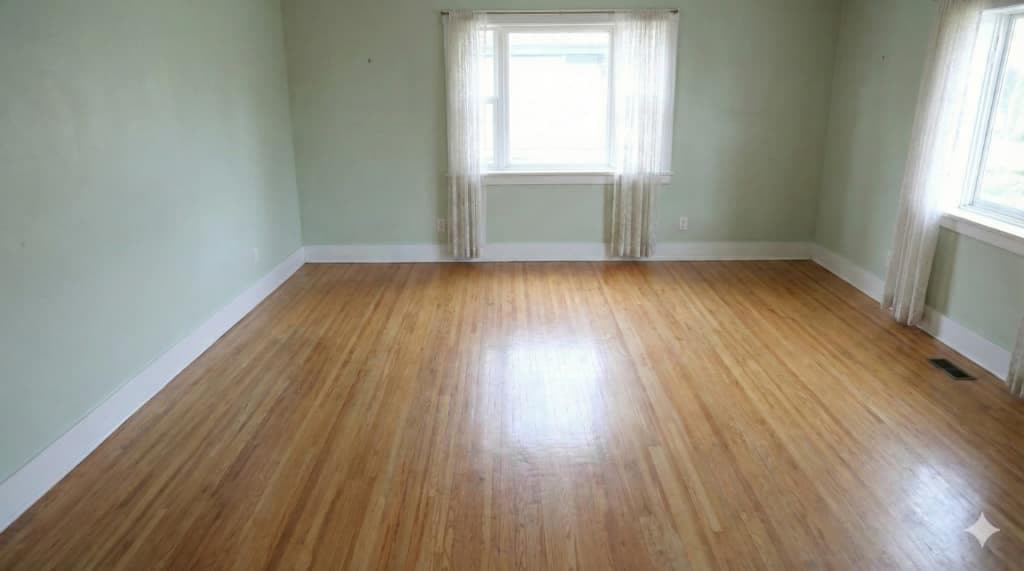 Before
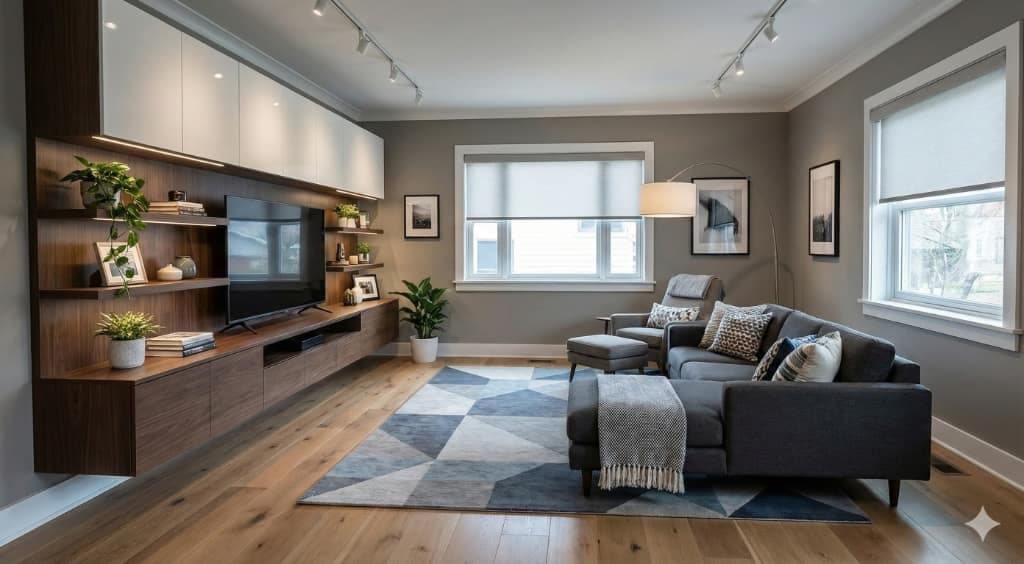 After
AfterThe result plays as vertical video, which is where listing attention has moved. Reels, Shorts and TikTok all reward a moving room over a still one, and portal listings increasingly autoplay the first video in the set.
Four steps, start to finish
- Upload the empty room photo, square on to the main wall if you have the choice.
- Pick a style. Furniture lands at the sizes real furniture occupies.
- Choose a camera move and the aspect ratio: 9:16 for social, 16:9 for the portal.
- Download the clip and the staged still together.
Pick the move that suits the room
The camera move is a menu choice. Each one flatters a different kind of room, and the whole decision takes a moment.
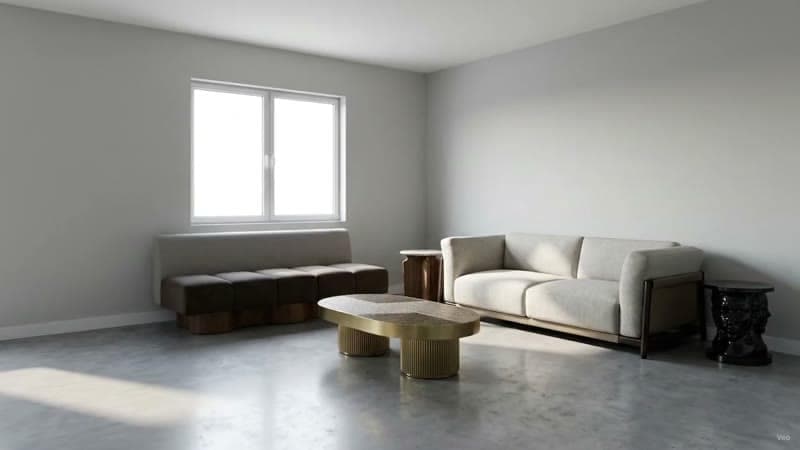
Push-in
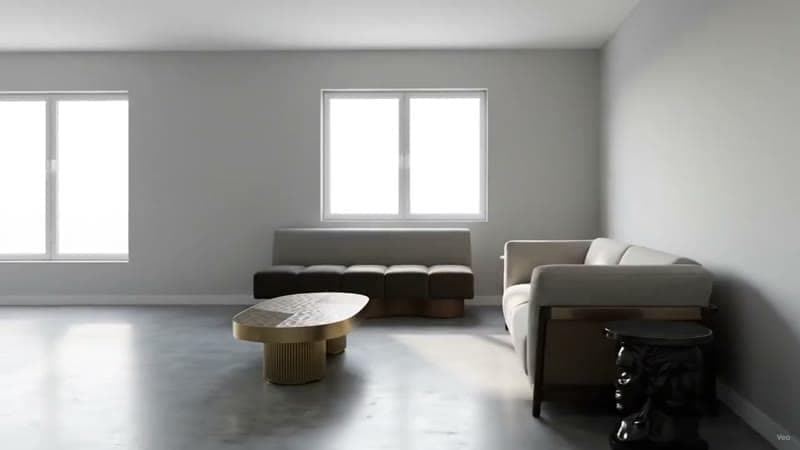
Orbit
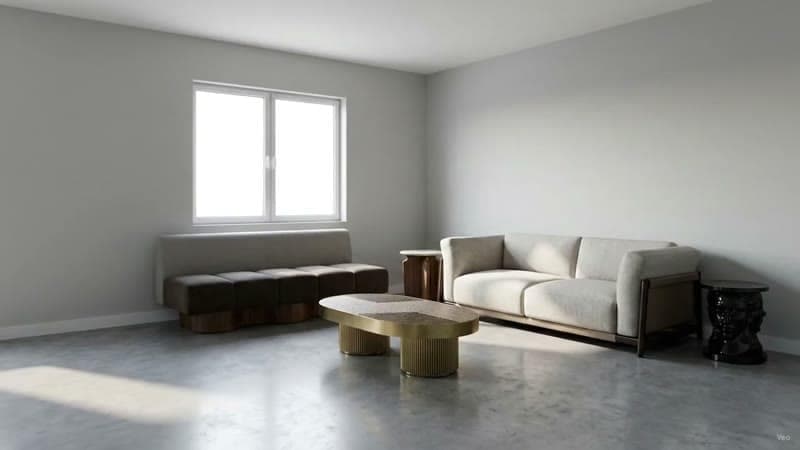
Pull-back
- Push in. For the fireplace, the island, the view. The clip finishes on the thing that sells the property.
- Pull back. For open plan, where the selling point is how much space there is.
- Orbit. For a room with a clear center, such as a seating group or a bed.
- Locked-off relight. The camera holds still while the light moves from midday to golden hour. Covered in change the time of day in a render.
Disclose it
Virtual staging is a marketing tool with rules attached. Most MLS bodies and advertising standards require staged imagery to be labelled as digitally enhanced, and several jurisdictions treat an undisclosed staged photo as a misrepresentation. Caption the clip, keep an unfurnished frame in the set, and the tool stays on the right side of the line.
Structural edits are a separate matter entirely. Adding furniture to an empty room is staging; removing a support column or widening a doorway describes a property that exists only on screen.
Where it fits against a photo shoot
A videographer walking the property produces the real thing, and for a listing at the top of the market that remains the right spend. Staged video earns its place on the listings where a shoot is hard to justify: vacant units, off-market previews, rentals with a fast turnover, and the long tail of stock where the alternative is an empty room in a still photograph.
For the arithmetic behind that trade, see virtual staging cost per photo, or bulk virtual staging if the question is a whole listing at once.
Common questions
What is a virtual staging video?
A short clip built from a single photo of an empty room. The room is furnished digitally, and that staged frame becomes a moving shot: a push toward the window, a slow orbit around the seating, a tilt up to the ceiling.
Do you have to disclose virtual staging?
Yes. Most MLS bodies and advertising standards require staged imagery to be labelled as digitally enhanced, and several jurisdictions treat an undisclosed staged photo as a misrepresentation. Caption the clip and keep an unfurnished frame in the set.
Which camera moves work best for a staged room?
A push in settles on the feature the room is sold on, a pull back opens out the scale for an open plan, and an orbit shows how a room with a clear center fits together. All three come as menu choices.
Can you make a video from one room photo?
One photo is enough. Upload it, choose a style, choose a camera move, and a staged clip of that room comes back in minutes.
Try it on your own plan
Upload a floor plan or a room photo and see the first renders in about thirty seconds.
100 free credits · no credit card required
Get the next guide when it lands
We publish these as we work through what people actually ask about pricing, staging and turnaround. Leave an address to hear when a new one goes up.