Change the time of day.
Relighting is the easiest change you can make to a finished render. Upload the picture, choose the hour, and the same room comes back at golden hour or after dark with every edge exactly where it started.
One upload, every hour of the day
Hand over the render you already signed off on, choose the hour you want, and the same room comes back under a different sun. The finished image is the whole input, so a render out of SketchUp, 3ds Max or Blender relights exactly like one produced here from a floor plan.
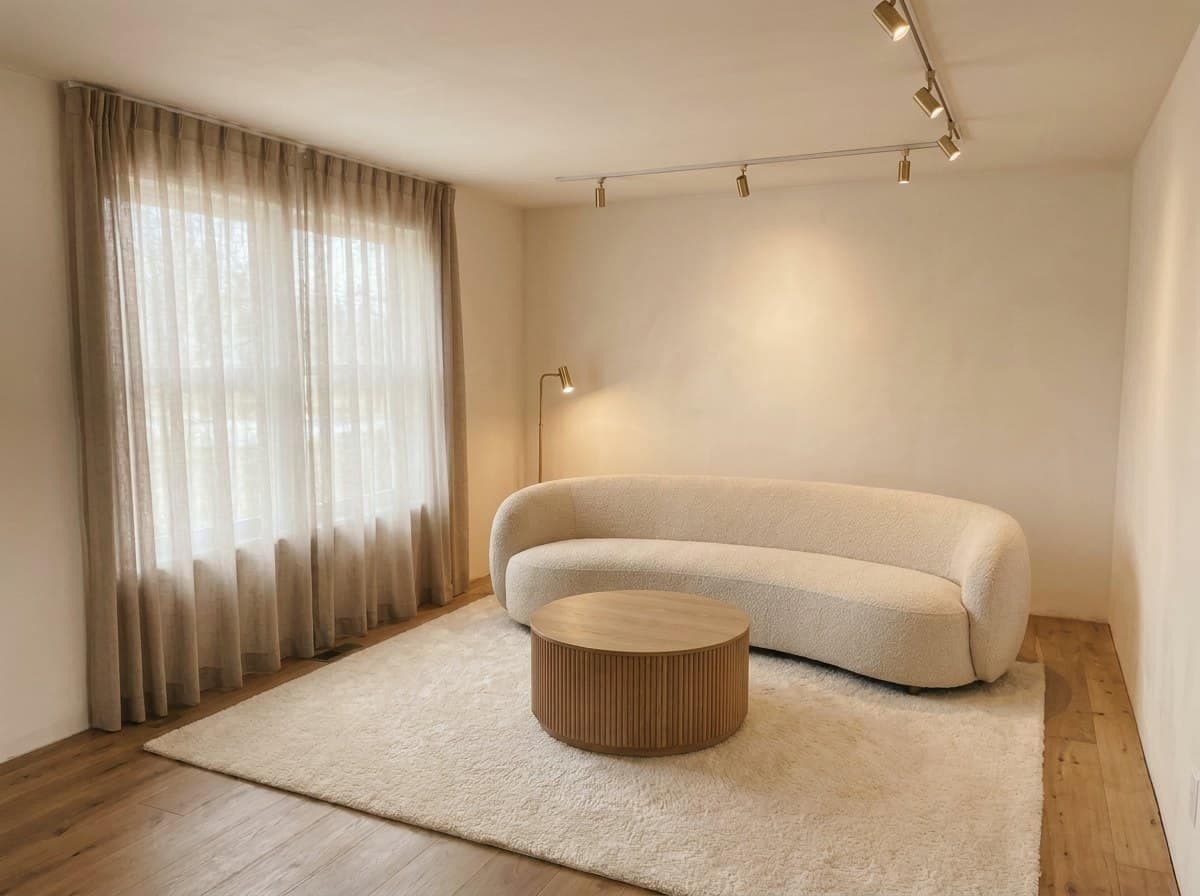 Midday
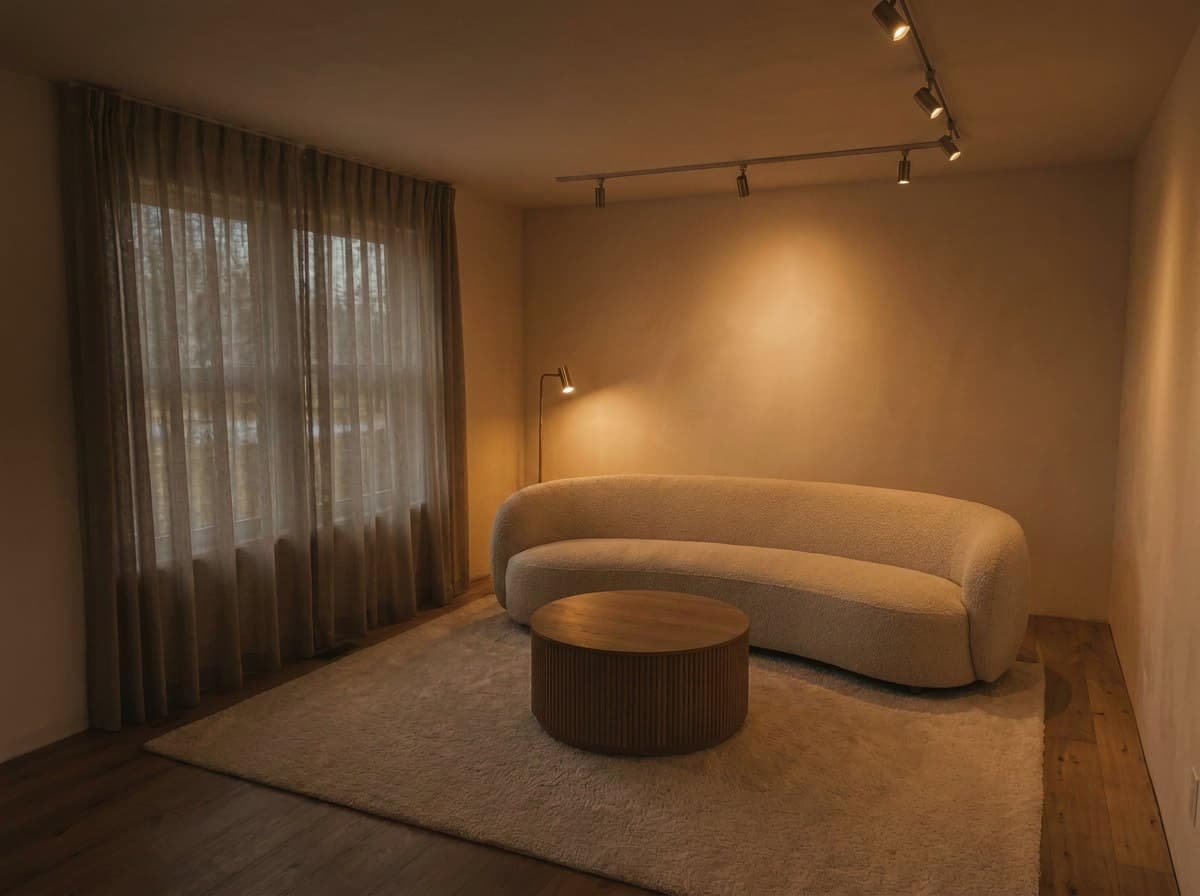 Dusk
DuskA room holds pixel-stable across a whole sequence of states. The furniture keeps its position, the architecture keeps its proportions, and the room a buyer walks into is the room they saw online. Generate midday, golden hour and dusk from one upload, and the set agrees with itself.
The four states worth having
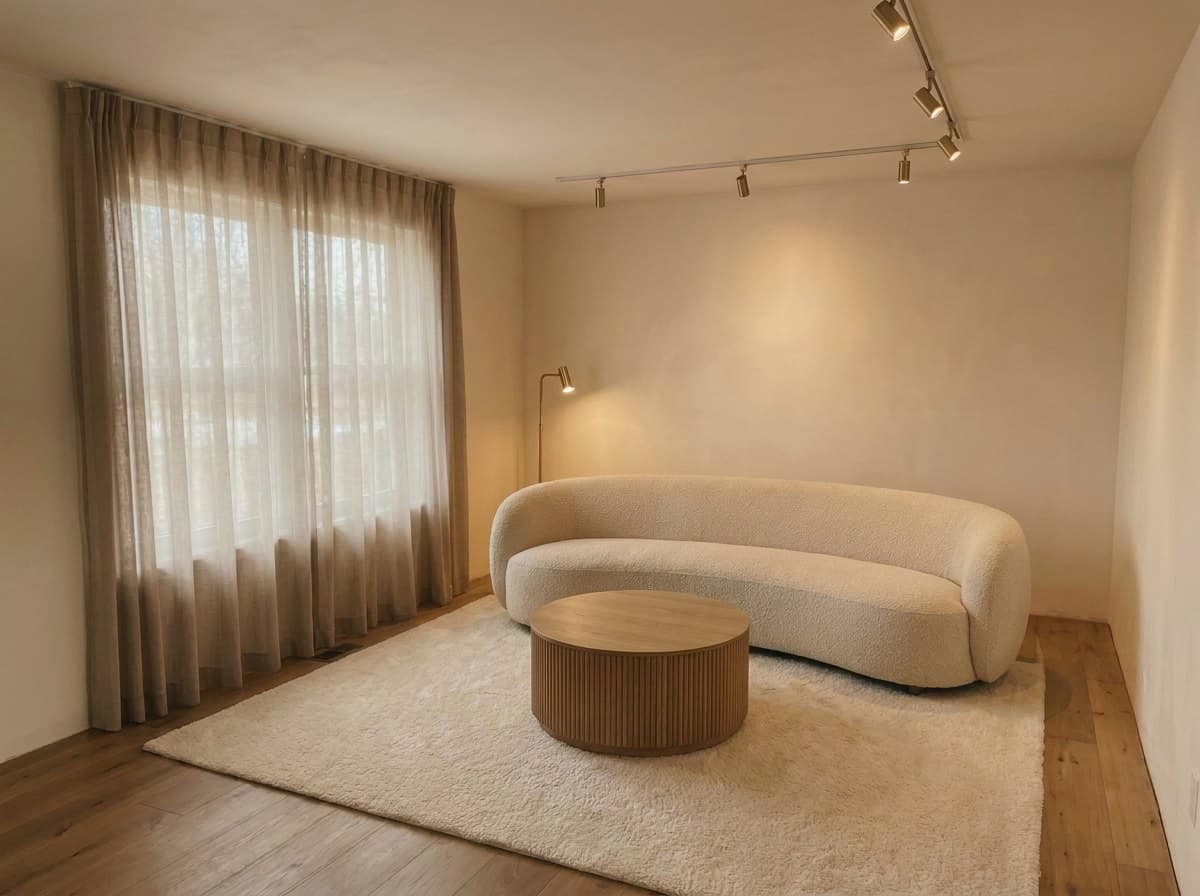
Morning
Midday
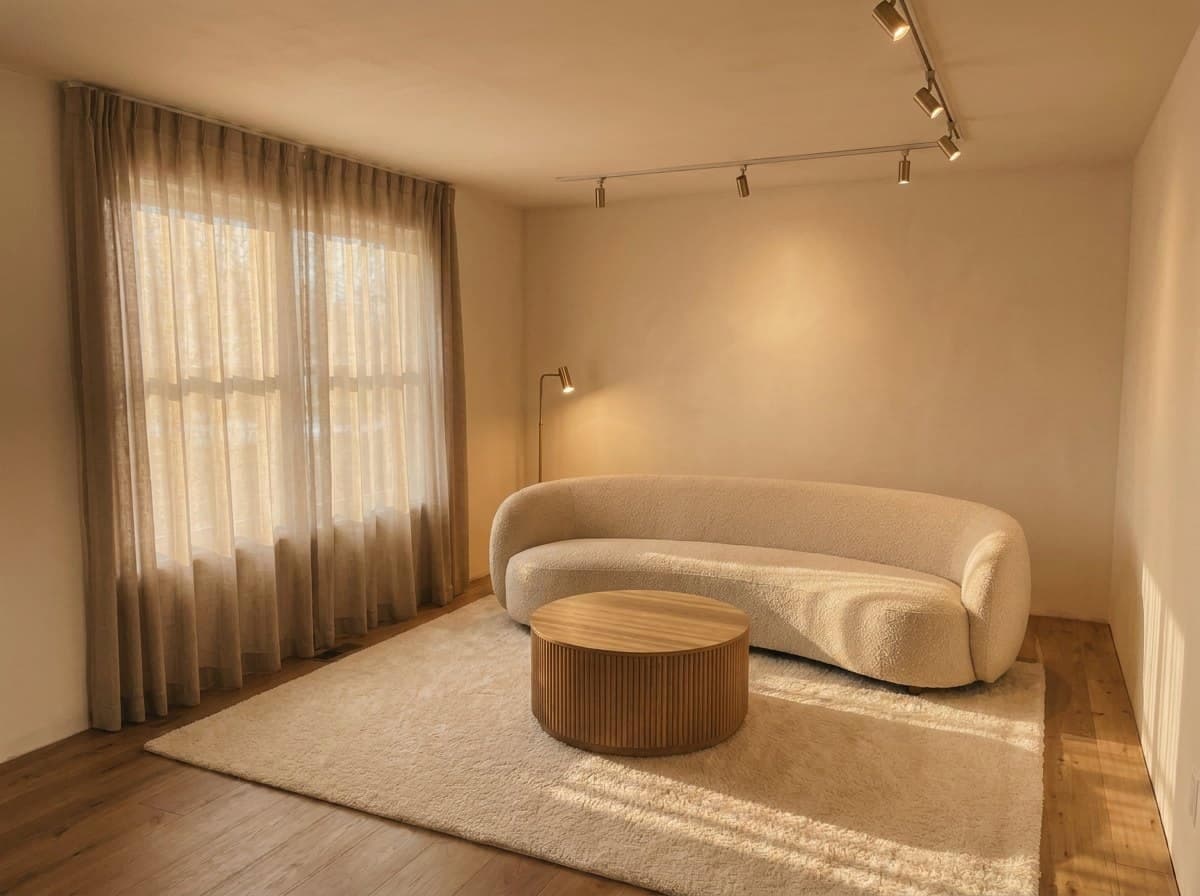
Golden hour
Dusk
- Morning. Cool, soft, low contrast. Flatters bedrooms and east-facing rooms.
- Midday. Neutral and bright, with short shadows. The honest one, and the right default for a listing where the buyer will compare the photo to a viewing.
- Golden hour. Warm, long shadows, high contrast. The one that sells, and the one to use carefully. A room shot exclusively at golden hour sets an expectation the property meets for about forty minutes a day.
- Dusk. Blue exterior against warm interior lamps. The strongest treatment for exteriors and for rooms with a view, because the lit window reads as inhabited.
What to check after a relight
- Shadow direction agrees with the window. Light entering from the left casts shadows to the right, throughout.
- The window keeps its view. Golden hour and dusk are the two states where the glass carries the most, so give it a look at full size.
- Color temperature is consistent. Daylight and lamps read as one room when they share a temperature.
- The furniture stayed put. Open the original alongside it: the sofa curve and the rug corner land in the same pixels.
- Materials held. Timber, fabric and rugs carry most of the scheme, so confirm the hue you chose is the hue that came back.
Relighting as motion
The same change makes a lovely short clip: one room traveling from midday through golden hour to dusk while every surface stays exactly where it was. It reads as time-lapse, and for a room with a good window it is the most striking few seconds you can put in a feed.
This works as a still set too. The same room across four lighting states, presented as a strip, communicates the space more completely than four different angles at one time of day.
Using it honestly
A relit render is a legitimate presentation choice for design work, where the question is how a scheme feels. For a property listing it needs more care: an image implying the living room floods with evening sun describes the orientation of the building. Check it against the plan before it publishes, and lead the set with the neutral midday version.
Related: AI interior design video and turn a render into a video.
Common questions
Can you change the time of day in a finished render?
Yes, and it is the most dependable edit in the category. The camera, the furniture and the architecture all stay fixed while only the lighting changes, so the room holds pixel-stable from midday through golden hour to dusk.
Do I need the original 3D scene to relight a render?
The finished image is the whole input. That means renders from any source relight the same way: SketchUp, 3ds Max, Blender, a client's PDF, or a render produced here from a floor plan. Upload the picture, pick the hour, download the new version.
Which lighting states are worth generating?
Four cover almost every use. Morning is cool, soft and low contrast. Midday is neutral and bright with short shadows. Golden hour is warm with long shadows and high contrast. Dusk sets a blue exterior against warm interior lamps.
What should I check after relighting a render?
Five things: shadow direction agrees with the window, the window itself holds its detail, color temperature stays consistent across daylight and lamps, the furniture stayed exactly where it was, and materials such as timber, fabric and rugs held their hue.
Is a relit listing photo honest?
For design work it is a legitimate presentation choice, since the question is how a scheme feels. For a property listing it carries a claim about orientation, so check the implied sun path against the plan and lead the set with the neutral midday version.
Try it on your own plan
Upload a floor plan or a room photo and see the first renders in about thirty seconds.
100 free credits · no credit card required
Get the next guide when it lands
We publish these as we work through what people actually ask about pricing, staging and turnaround. Leave an address to hear when a new one goes up.