AI walkthrough from a photo.
One photograph of a room is the whole input. Upload it, choose how the camera should move, and a few seconds later you have a walkthrough clip of that room to post.
One photo, one clip, a few minutes
The photo you already took becomes the opening frame, and the camera moves through the room from there. Everything the viewer sees is the room in your picture, in the light your picture was taken in.
Pick the move that suits the room
Choosing the camera move is the one creative decision, and it takes a moment. Each move flatters a different kind of room.
- Walk in. The default for a listing. Carries the viewer through the doorway and into the room.
- Push in. For the fireplace, the island, the view. The clip finishes on the thing that sells the property.
- Pull back. For open plan, where the selling point is how much space there is.
- Orbit. For rooms with a clear center, such as a seating group or a dining table.
Shooting a photo that animates well
Any decent room photo works. When you control the capture, a few ordinary habits make the clip better.
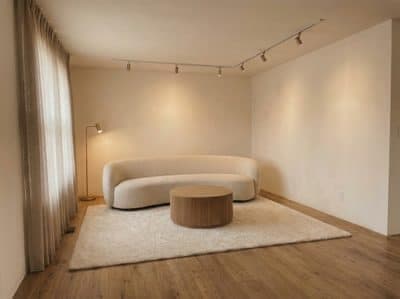
Square to the wall
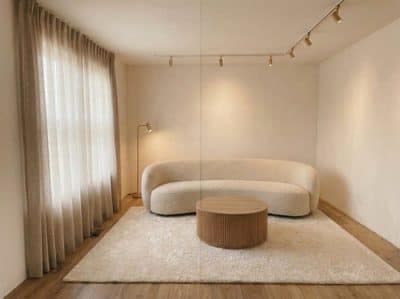
Eye level
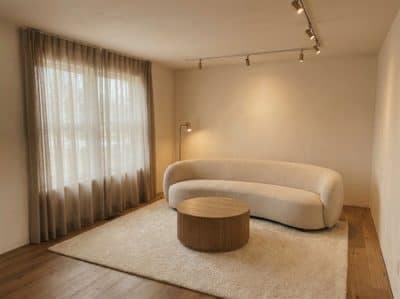
From the corner
- Stand square to the main wall. Aligned perspective gives the cleanest looking clip.
- Use the standard lens. The ultra-wide bows the walls, and the bow carries into the video.
- Shoot from chest height. That framing matches how the clip will read on a phone.
- Light the room evenly. One light source, curtains open, lamps off, the same advice any estate agent gives.
- Leave people and pets out of frame. An empty room keeps the attention on the property.
- Include depth. Something in the foreground gives the clip its sense of space.
Tidy the still before you animate it
A photograph worth animating is one you would already be happy to publish. Clearing the clutter takes one more upload and improves every clip that comes after it.
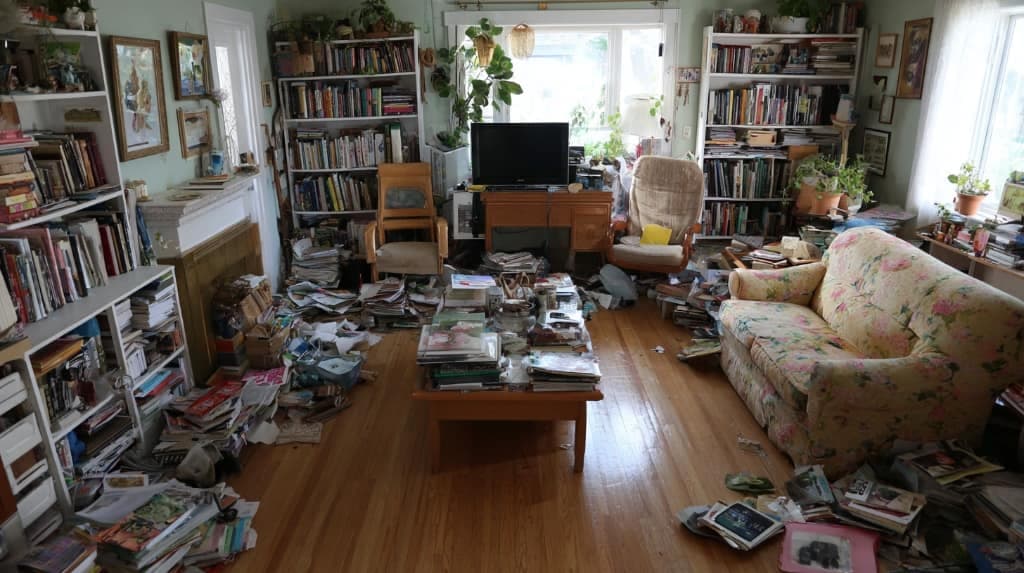 As shot
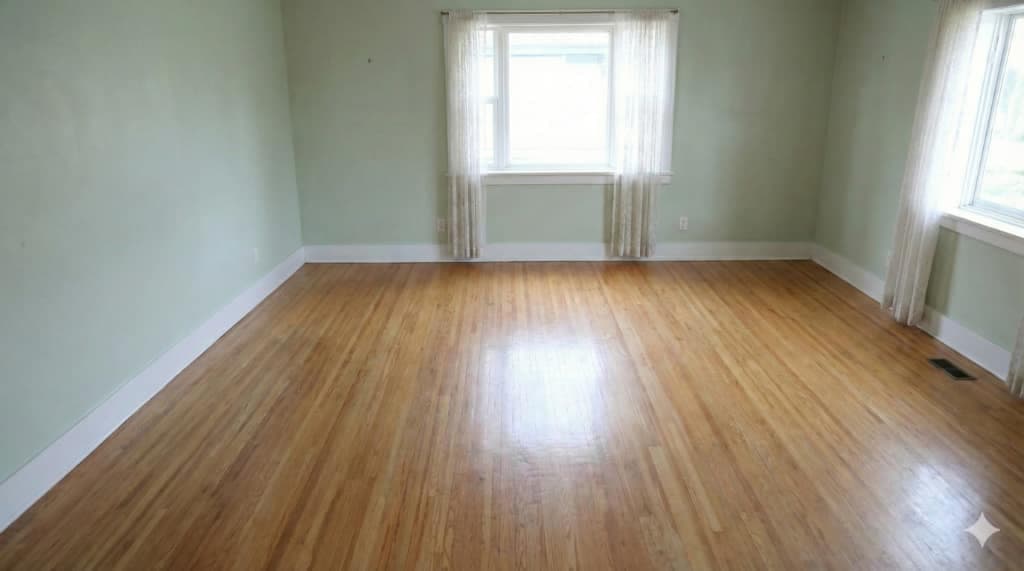 Cleared
For an empty room, stage it first and animate the staged frame. That sequence is covered in virtual staging video.
Where the clips go
Portal listings accept video and rank it above stills. Instagram and TikTok want vertical, which the same clip exports as. A four-room property gives four clips, cut together in any editor, and the result plays as a walkthrough somebody filmed.
Related: turn a render into a video if you have renders already, and AI video for real estate listings for putting clips to work.
Common questions
Can you make a video from one photo?
Yes. Upload the photo, choose a camera move, and a short walkthrough clip of that room comes back in minutes. One photo gives one clip, and a set of room photos gives a whole property tour.
Which camera moves work from a single photo?
A walk in carries the viewer into the space, a push in settles on one feature, a pull back opens out the scale, and an orbit shows how the room fits together. Choose by what the room is sold on.
How should I shoot a room photo that will be animated?
Stand square to the main wall at chest height, use the standard lens, and light the room evenly. Leave people and pets out of frame, and include something in the foreground so the clip reads with depth.
Can I animate a photo of an empty room?
Stage it first, then animate the staged version. Both run from the same one upload, so an empty listing photo becomes a furnished walkthrough in a single sitting.
How long does a clip take?
Minutes. Upload the photo, pick the move, and the clip is ready to download while you write the listing copy.
Try it on your own plan
Upload a floor plan or a room photo and see the first renders in about thirty seconds.
100 free credits · no credit card required
Get the next guide when it lands
We publish these as we work through what people actually ask about pricing, staging and turnaround. Leave an address to hear when a new one goes up.