Your room as a miniature.
One photo goes in and a dollhouse-scale model of the same room comes back, walls cut away, lit like a collectible on a shelf. It is the least useful tool here and comfortably the most fun.
A room you can hold in one hand
Tiny room takes a single photograph and returns the same space as a model: walls cut open, floor sitting on a wooden base, every piece of furniture reproduced at dollhouse scale under soft studio light. It is not a render of your room. It is a picture of a model of your room, and that gap is the whole appeal.
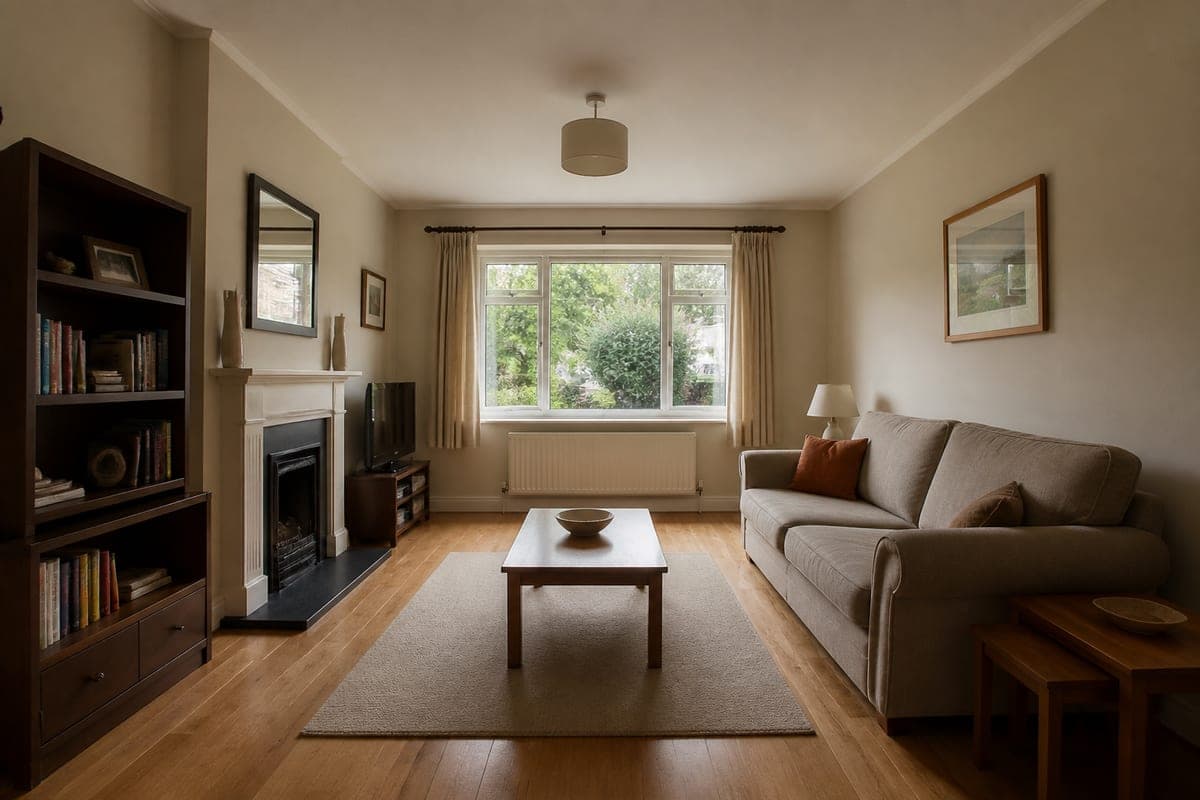 As shot
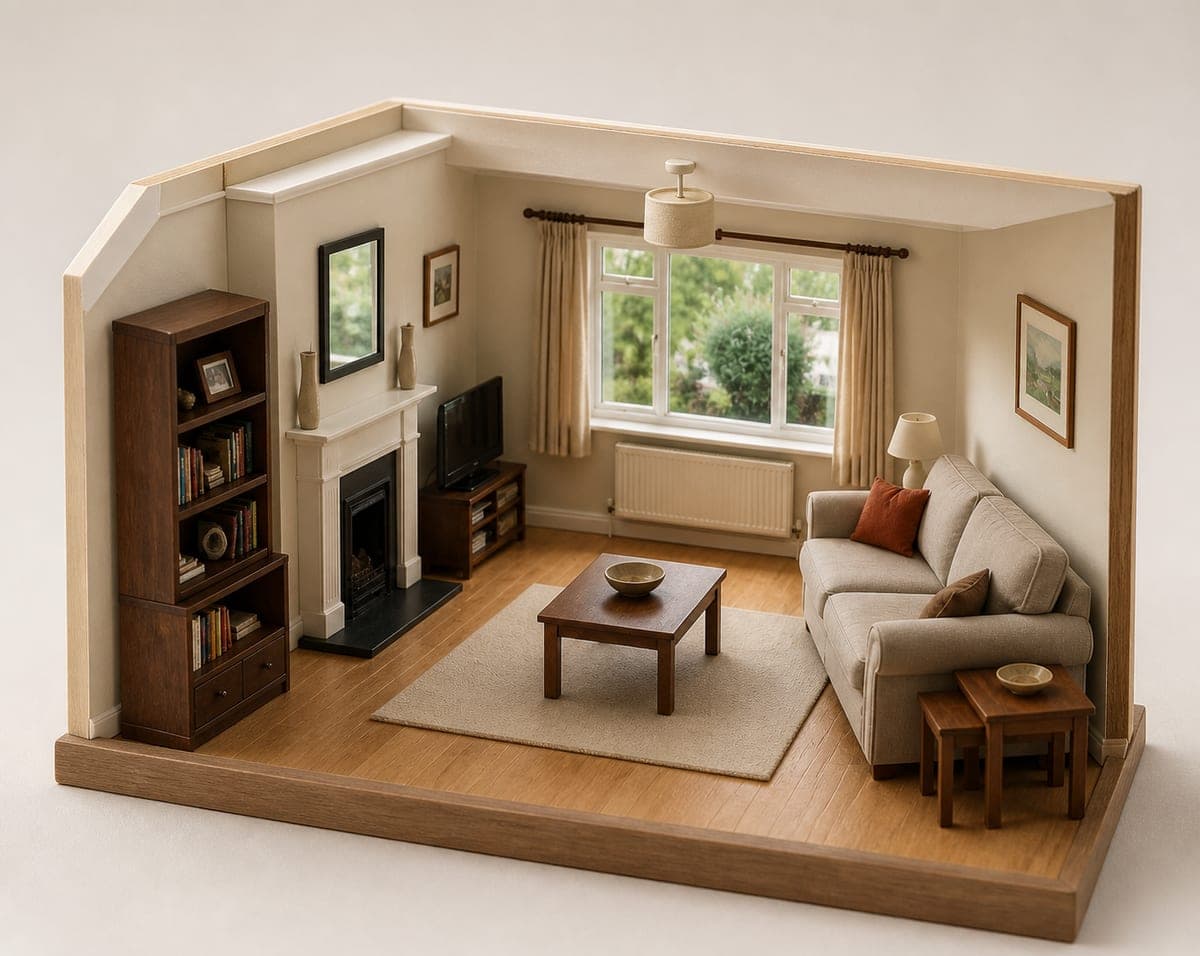 As a model
Look at what survives the shrink. The dark bookcase still has coloured book spines and a framed photo on the upper shelf. The fireplace keeps its white surround and black inset, the mirror stays above it, the small television keeps its wooden stand, and the radiator sits under the window exactly where it does in real life. The room is legible as itself, which is what makes the effect land.
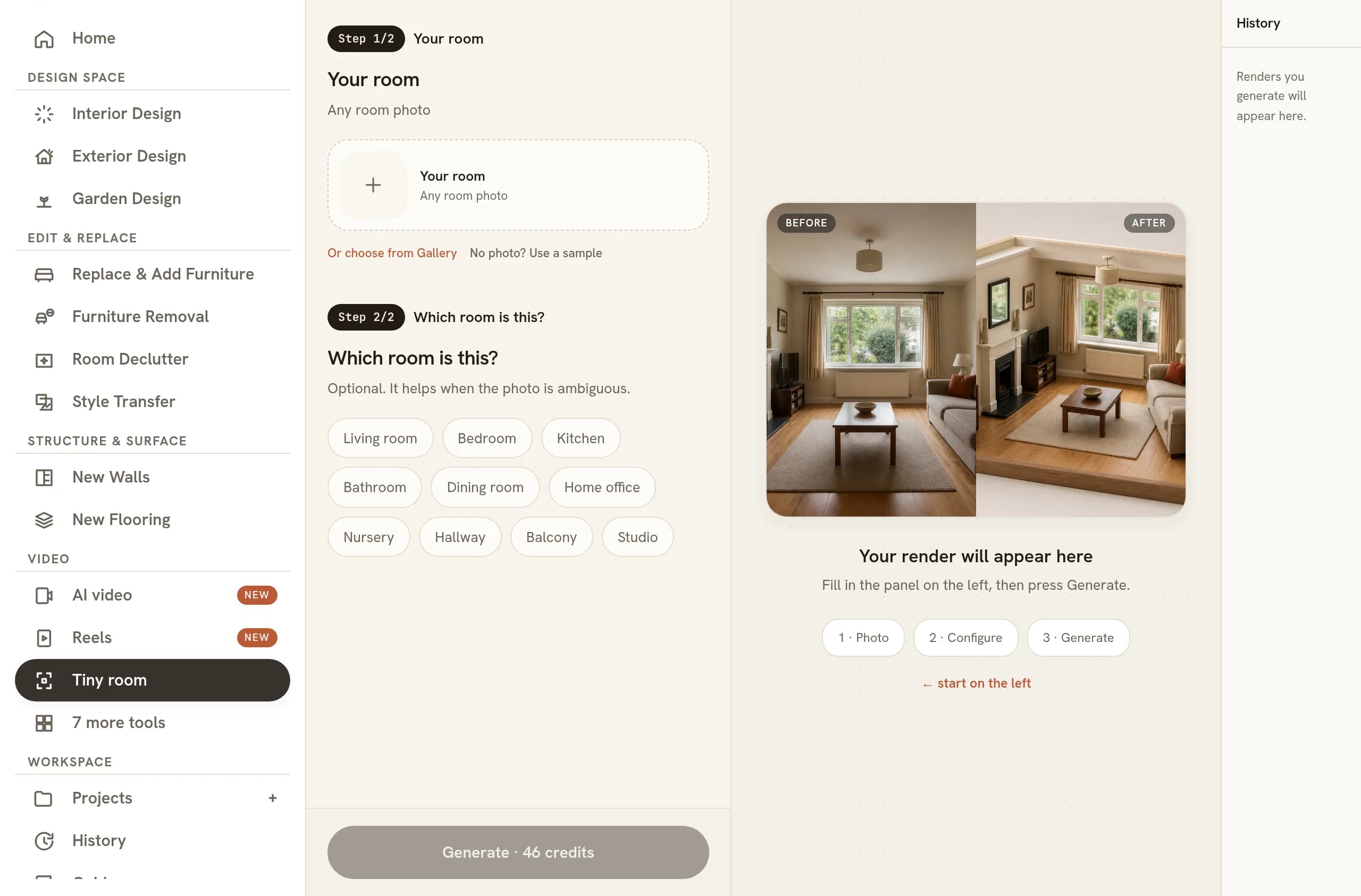
There is one image slot and one button. No style field, no era, no colour to pick. You upload a room and you get a model of it back.
Why the three-quarter view is fixed
Most tools in the workspace work hard to keep your camera. Relighting, decluttering and refinishing all pin the original angle so the result can be compared against the photograph pixel for pixel, which is exactly what changing the time of day in a render depends on. This one throws the camera away on purpose, and it is the only sensible choice.
A model is looked at from above and slightly to one side. That is how you stand over a dollhouse, a train set or a study model on a workbench, and the raised three-quarter view is the visual shorthand your eye reads as object rather than place. Take the same miniature from eye level and it stops being a collectible: it becomes a slightly odd photograph of a small room. Take it from directly overhead and you have a floor plan with furniture in it. Neither is the thing people want to look at.
So the angle is not an option you were denied. It is the output. Because the camera has to move, this is one of the few tools that makes no promise about matching the original framing, and nothing in the result will line up with your photo.
What makes a room read as a model
Some rooms miniaturise beautifully and some come back flat, and the difference has very little to do with how nicely the room is decorated. It is almost entirely depth.
A corner works. When two walls meet inside the frame, the model has real volume: you get an inside face and an outside face, a ceiling line travelling away from you, and a floor with actual area on it. A single flat wall shot straight on gives the miniature nothing to be. It reads as a shoebox with wallpaper. If you have a choice of where to stand, stand so that a corner sits somewhere in the middle third of your frame.
Height variation helps for the same reason. A room with a tall bookcase, a low sofa, a table lamp and something on the mantelpiece gives the model a silhouette. A room with three low units against one wall gives it a line. Rugs, coffee tables and floor lamps matter more than you would think, because they occupy the middle of the floor and stop the base looking bare.
Show floor. The base of the diorama is a large part of what you see, and a photo cropped tightly on furniture leaves the model standing on almost nothing. Include the floor in front of you and the ceiling line above, and the result has somewhere to sit.
Room type matters less than you would expect, because the same depth rule decides it either way. Kitchens miniaturise well because a run of units, a worktop and a tall fridge give the model a strong profile against a wall that is already busy with detail. Bedrooms depend almost entirely on whether the bed sits in the middle of the floor or shoved against the wall, since a bed floating in open floor is what carries the shot. Bathrooms are the hardest of the lot: they are small, usually shot from the doorway with the camera pressed against a wall, and the resulting model has one visible face and very little depth behind it.
Photographing a room for miniaturising
A phone is entirely enough, and everything in designing a room from your phone applies here. Stand in the doorway, back into the corner, and hold the phone at chest height rather than at your face. Chest height keeps the floor in shot and keeps the ceiling from dominating.
Shoot in daylight if you can, with the curtains open and the overhead light switched off so nothing in the room is fighting the window. Even light gives the model clean colours to copy, whereas a room lit by one lamp in the corner tends to come back with muddy shadows baked into the surface of the miniature furniture itself.
Tidy first, or let the software do it. Laundry, cables and clutter are reproduced as faithfully as everything else, which is funny once and annoying afterwards. Running furniture removal on the photo before you miniaturise is a reasonable two-step move if the room is genuinely busy.
Posting it as social content
This is what the tool is built for. The pairing does the work: your real room next to its model, side by side or as a swipe, with no caption needed beyond naming the room. People recognise a space they have been in, and seeing it as a toy is a small delight that survives being scrolled past at speed.
The model sits on a plain neutral surface with nothing behind it, which makes it forgiving to crop for a feed. A series works better than a single post: do the living room, the kitchen and the bedroom on the same day, and you have a set of models that clearly belong to the same house. Keep the real photograph alongside each one, because the model on its own is only a nice render, and it is the pair that carries the recognition. If you want motion out of it, turning a render into a video will orbit the model slowly, which suits a miniature better than it suits most interiors.
What this one is honestly for
Fun, and nothing sturdier. A miniature is not a design deliverable, not a proposal, and not evidence about a space. It has no dimensions in it, the wall thicknesses are invented, and anything the model gets slightly wrong is invisible precisely because the output is not trying to be photoreal. That freedom is why it looks good and also why it proves nothing.
If you need a picture that a client can act on, the deliberately non-photoreal look works against you, and the scale problems described in why AI renders get scale wrong stop being cosmetic. Use the miniature for the feed, the newsletter and the group chat. Use the staging tools for the work.
Common questions
How do I turn a photo of my room into a miniature diorama?
Upload one room photo and press Miniaturize it. There is nothing else to set, so the only real decision is which photograph you hand it. If the first result disappoints, the fix is a different photo rather than a different setting: reshoot from a spot where two walls meet in frame and run it again.
Does the miniature use my actual furniture?
Yes, that is the point of it. Every piece in the photo is reproduced in miniature, keeping the layout, colours and materials of the real room recognisable. It is not a generic model kit dropped onto your floor plan: what makes people react is spotting their own sofa, their own rug and their own clutter at toy size.
Can I make a diorama of a whole flat or house?
Not in one go. The tool works from a single room photo and returns a single room model, so a flat means running each room separately and assembling the results yourself. That is usually the better outcome anyway, because a set of matching room models posts well as a carousel.
Is a miniature room render an actual 3D model I can download?
No, it is a picture of a model rather than a model. What comes back is a flat image, so there is no mesh to open in Blender, nothing to send to a 3D printer, and no measurements in it. Treat it as a photograph of something that was never built.
Can I use a miniature room image in a property listing?
Avoid it. A listing image carries an implied claim about what a buyer will walk into, and a dollhouse model makes no such claim honestly. Keep miniatures on social feeds, newsletters and personal posts, and let straight photography or conventional virtual staging carry the listing itself.
Try it on your own plan
Upload a floor plan or a room photo and see the first renders in about thirty seconds.
100 free credits · no credit card required
Get the next guide when it lands
We publish these as we work through what people actually ask about pricing, staging and turnaround. Leave an address to hear when a new one goes up.
Solo usamos tu dirección para escribirte sobre RoomGen. Política de privacidad · Términos